If you just spent the last three hours manually adjusting pixel padding and renaming nested layers in Figma, you are not practicing UX design, you are doing digital data entry. The definition of what is UX design has changed faster than most bootcamps admit.
In 2026, your value isn’t how fast you can push pixels. It’s how efficiently you can architect usable systems with AI enforcing layout constraints while you make the real decisions.
Most guides still describe UX like it’s 2012. Product teams today don’t need sticky notes, they need interfaces that survive developer handoff by Friday.
What Actually Is UX Design in 2026?
UX design is no longer the craft of drawing wireframes. It’s the discipline of structuring user journeys so products become usable faster and fail less often.
Most legacy definitions focus on empathy exercises and persona workshops. That misses the real job. Modern UX is:
defining information architecture
reducing cognitive load
enforcing usability heuristics
accelerating Time-to-Value (TTV)
preventing churn in the zero-data state
The shift is simple: designers moved from interface creators to constraint editors.
AI didn’t remove UX. It removed the manual drafting layer between ideas and testable interfaces. If your workflow still starts with blank Figma frames, you’re working slower than necessary. This is exactly why teams now rely on structured prompting workflows instead of sketch-first layouts (explained in [How Designers Actually Use AI in Real Projects](https://uxmagic.ai/blog/ai-in-ux-design-workflow)
AI-generated layouts frequently break contrast ratios and container constraints unless guided correctly. Designers who treat accessibility as optional end up paying the verification tax later.
Consistency is what makes interfaces feel trustworthy.
Token drift destroys that trust fast:
button radii change between screens
hex values shift subtly
typography scales break mid-flow
Manual enforcement doesn’t scale. Systems enforcement does.
Modern teams rely on flow-aware generation workflows instead of screen-by-screen editing. That’s why structured prompting approaches outperform isolated layout generators (explained in Real Prompts We Use:
https://uxmagic.ai/blog/production-ready-ai-design-prompts-saas).
The Modern UX Design Process (Traditional vs. AI-Assisted Workflow)
User Research and Problem Synthesis
Traditional UX research often meant weeks of persona drafting and affinity mapping.
Modern workflows prioritize extracting Jobs-to-Be-Done from:
support tickets
user interviews
onboarding analytics
sales objections
The goal is decision clarity, not research volume.
Analysis paralysis isn’t insight. It’s delay.
Teams now synthesize feedback faster so they can prototype earlier and validate with real users, not synthetic personas generated by LLMs.
AI accelerates synthesis. Humans still validate outcomes.
Information Architecture and Beating the Blank Page
Blank canvas paralysis wastes more time than any other stage.
Most designers don’t struggle with ideas. They struggle with layout starting points.
Legacy workflow:
sketch boxes
redraw in Figma
rebuild auto-layout
iterate manually
Modern workflow:
define screen intent
specify required components
generate structural layout instantly
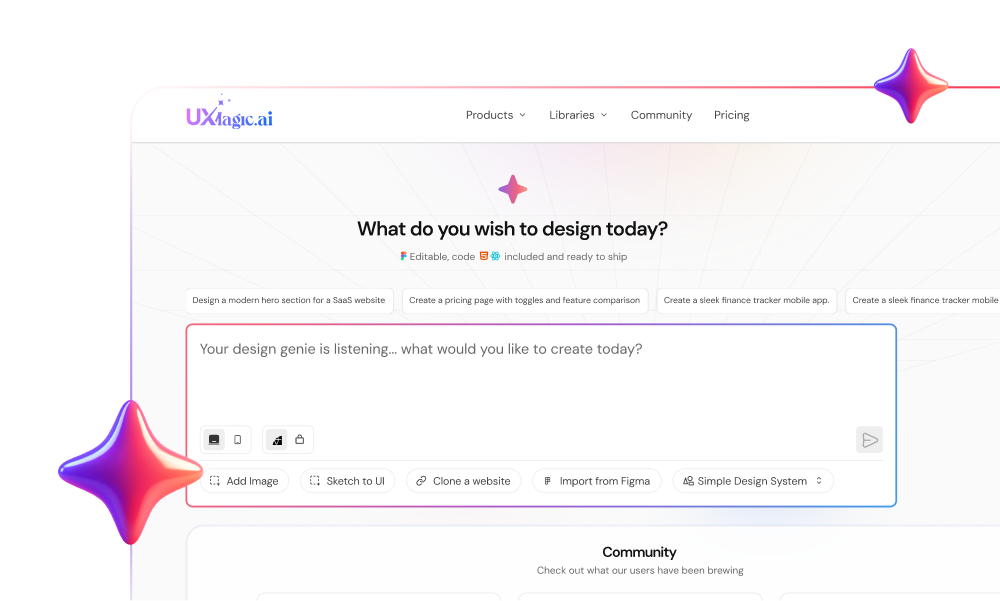
Component-aware tools like UXMagic generate editable nodes compatible with real layout logic instead of static concept art. That eliminates the “vibe coding” trap described in Blank Canvas Syndrome:https://uxmagic.ai/blog/blank-canvas-syndrome-ai-ux-workflow
The difference is structural generation vs visual guessing.
Prototyping and Flow Generation
Traditional prototyping breaks at scale.
Five screens become fifteen. Fifteen become forty. Token drift begins.
Flow-aware generation solves that by enforcing consistency across:
typography
spacing
component hierarchy
interaction logic
UXMagic’s Flow Mode locks tokens across entire journeys instead of individual frames. That prevents the context window degradation common in generic generative UI tools.
Consistency stops being manual memory. It becomes infrastructure.
Usability Testing and Iteration
Iteration used to mean redrawing screens after stakeholder comments.
Now it means editing components directly.
Section-level agentic editing allows designers to:
Most dashboards are designed for imaginary users with full datasets.
Real users log in and see nothing.
That creates:
confusion
friction
abandonment
churn
Good UX designs the zero-data state first.
Effective empty states include:
checklist onboarding steps
primary CTAs
contextual tooltips
progress indicators
Empty-state UX reduces Time-to-Value immediately.
Breaking Familiar UI Patterns for “Creativity”
Novel layouts impress stakeholders. They confuse users.
Users expect:
navigation in predictable positions
consistent button hierarchy
recognizable interaction patterns
Breaking conventions increases cognitive load without increasing clarity.
Originality isn’t innovation. Clarity is.
Overwhelming the User with Feature-Creep
Stakeholders love putting everything on one screen.
That destroys usability.
A common scenario:
CEO requests analytics, billing, permissions, and pricing summaries on the same dashboard before a demo.
Manual redesign breaks layout systems under pressure.
Modern workflows restructure sections instantly using component-aware editing instead of rebuilding entire grids.
UX isn’t saying “no” to features. It’s sequencing them correctly.
How to Start Applying UX Principles Today
Start with structure, not visuals.
Practical steps:
define the zero-state experience first
map user journeys before screens
prompt constraints instead of styling guesses
enforce tokens across flows
validate with humans, not synthetic users
Then generate layouts that reflect those constraints.
This is where component-aware systems outperform visual generators. UXMagic produces editable interface logic rather than flattened concept art, which keeps prototypes usable during developer handoff.
Stop treating UX like illustration. Treat it like architecture.
Prediction: In the next 12 months, the designers who succeed won’t be the ones who draw faster, they’ll be the ones who define constraints clearly enough that machines can draw for them.
UX design in 2026 isn’t about drawing cleaner screens, it’s about defining clearer constraints. The teams moving fastest today aren’t pushing pixels manually; they’re generating structured layouts, enforcing consistency across flows, and validating decisions with real users instead of assumptions.
Stop Designing From Scratch
Generate structured, production-ready layouts instead of rebuilding grids manually. Try UXMagic free and create your first multi-screen flow in minutes.
UX design is the strategic process of optimizing how users interact with a product to solve problems efficiently, while UI design controls the visual interface elements like typography, spacing, and color. UX is the blueprint of the house; UI is the furniture inside it.
Architecture determines how people move through rooms. Interior styling determines how those rooms feel. Confusing the two leads teams to polish surfaces before fixing structure.
No, UX design is not dying, but manual interface drafting is becoming obsolete. AI removes repetitive pixel work while increasing demand for designers who enforce usability constraints and system logic.
The Reddit narrative misses the shift: designers aren’t disappearing—they’re becoming editors of generated structure rather than creators of every layer manually.
No, writing production code is not required to be a UX designer. However, understanding layout constraints like responsive grids and component states ensures designs remain buildable by engineering teams.
Tools like v0.dev generate interfaces directly from prompts, but designers still need structural awareness to communicate effectively with developers.
AI accelerates UX by generating structural layouts instantly from prompts, eliminating blank canvas paralysis and shifting effort toward validation and iteration.
Instead of “measure twice, cut once,” teams now cut quickly, test immediately, and refine continuously with real interaction data.
The best AI UX tools generate constraint-aware layouts instead of static concept art. Platforms like UXMagic enforce consistent design tokens across flows, producing editable components rather than hallucinated visuals.
Concept-image generators create mood boards. Component-aware generators create software-ready structure.